



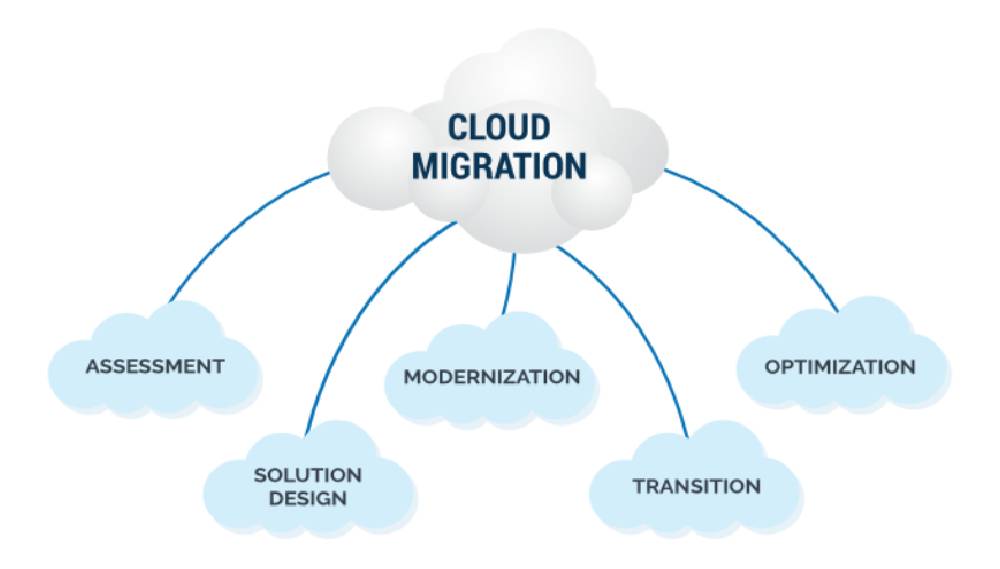
Cloud migration is the process of moving an organisation's applications, data, and infrastructure from on-premises servers or outdated hosting environments to cloud platforms — AWS, Google Cloud, or Microsoft Azure. On-premises data centre costs in India are rising 15 to 20 percent annually due to hardware refresh cycles, power and cooling costs, data centre leases, and the operational headcount required to manage physical infrastructure. Cloud migration eliminates capital expenditure on hardware, replaces it with usage-based operational expenditure that scales with actual business requirements, and provides access to managed services (RDS, Cloud Run, Azure App Service) that reduce the operational burden of running production infrastructure. Garuda Technologies delivers cloud migration for Gurugram IT companies, enterprises, and software businesses — using the 6R migration strategy framework to classify each workload and determine the most cost-effective and risk-appropriate migration approach.
The 6R framework — Rehost, Replatform, Repurchase, Refactor, Retire, and Retain — is the migration strategy classification system used by AWS, Google Cloud, and Azure migration practices. Applying it to every application before migration begins prevents the most expensive migration mistake: moving everything with a lift-and-shift approach, then discovering that 40 percent of migrated workloads are paying cloud prices for applications that could have been retired or replaced with SaaS tools at lower total cost.
Strategy | When to Use It | Best For |
Rehost (Lift and Shift) | Move the application to the cloud with no changes — same OS, same application code, same database. Fastest migration path. Does not benefit from cloud-native features. Appropriate for: large application portfolios where time-to-cloud matters more than optimisation, applications with unknown dependency chains that make refactoring risky, and applications scheduled for eventual modernisation but requiring cloud hosting now. | Legacy applications, time-sensitive migrations, interim step before modernisation |
Replatform | Move to the cloud with targeted optimisations — switching from self-managed MySQL on a VM to Amazon RDS, replacing Nginx on EC2 with App Service, or containerising an application without rewriting its code. Captures cloud benefits (managed backups, auto-scaling, reduced operational overhead) without the full cost and risk of a code rewrite. The most commonly recommended strategy for standard web applications. | Most web applications, databases, standard API backends |
Repurchase | Replace an on-premises application with a SaaS equivalent. A custom-built CRM migrated to Salesforce or Zoho. An on-premises email server replaced by Google Workspace or Microsoft 365. An on-premises HR system replaced by Darwinbox or Keka. Highest operational cost reduction but requires data migration and user retraining. | CRM, ERP, HR, email, collaboration tools where SaaS equivalents exist |
Refactor | Rewrite or re-architect the application to be cloud-native — breaking a monolith into microservices, adopting serverless architecture, or redesigning the data layer for managed cloud databases. Highest complexity, cost, and risk. Produces the greatest long-term performance and scalability benefits. Appropriate for applications with growth expectations that the current architecture cannot support. | High-growth SaaS products, performance-critical applications, architectural modernisation |
Retire | Decommission applications that are no longer required. Auditing a typical IT company's application portfolio consistently identifies 10 to 20 percent of workloads that are no longer actively used but still consuming server resources and maintenance time. Retiring these workloads reduces migration scope, infrastructure costs, and ongoing operational complexity. | Unused applications, duplicate systems, superseded internal tools |
Retain | Keep specific applications on-premises because migration is not yet justified — compliance requirements, latency constraints, recent capital investment, or dependencies on on-premises hardware that cannot be replicated in the cloud. Retain decisions should have a defined review date rather than indefinite deferral. | Compliance-constrained workloads, recently invested hardware, hardware-dependent applications |
Phase | Activity |
Phase 1: Discovery and assessment (Weeks 1-3) | Inventory every application, server, database, and dependency in the current environment. Document interconnections between systems — which applications call which APIs, which databases are shared across applications, which services depend on each other's availability. Apply the 6R classification to each workload. Estimate cloud costs for each migration strategy using cloud provider pricing calculators. Produce a business case comparing current infrastructure costs to projected cloud costs across 3-year and 5-year horizons. |
Phase 2: Migration strategy and sequencing (Weeks 3-4) | Sequence migrations by dependency and risk. Independent applications with no dependencies migrate first — lower risk, builds team experience. Applications with shared databases migrate together. The most complex, business-critical applications migrate last when the team has confidence from earlier migrations. Define rollback procedures for each migration before it begins. |
Phase 3: Environment setup and tooling (Weeks 4-6) | Provision the target cloud environment: VPC, subnets, security groups, IAM roles, and managed service configurations (RDS, S3, CloudFront, DNS). Configure migration tooling: AWS Server Migration Service, Azure Migrate, or CloudEndure for server replication. Set up monitoring and logging in the target environment before any workloads arrive. |
Phase 4: Staged migration execution (Weeks 6-16) | Migrate workloads in the planned sequence. Each migration follows: replication of data to target environment, testing on cloud environment with production traffic mirrored, cutover during agreed maintenance window, DNS update to route traffic to cloud environment, monitoring period before declaring migration complete. Parallel running of on-premises and cloud environments during the testing period ensures zero-downtime cutover. |
Phase 5: Optimisation and decommissioning (Weeks 14-20) | After all workloads are stable on the target cloud platform, right-size resources based on actual utilisation data from the first 30 days of cloud operation. Implement Reserved Instances or Savings Plans for predictable workloads. Decommission on-premises servers after a defined retention period confirming no data or traffic requires them. Produce final migration report documenting before/after cost comparison. |
Database migration is the component most likely to extend timelines and cause post-migration incidents. Switching from on-premises MySQL 5.7 to Amazon RDS MySQL 8.0 introduces query behaviour differences, deprecated syntax, and default setting changes that can break stored procedures, application queries, and scheduled jobs. Garuda Technologies runs database migrations through a staged validation process: restore a copy of the production database to the target RDS instance, run the application's full query workload against it in shadow mode, and identify query failures before any production traffic moves. The AWS Database Migration Service supports continuous data replication with minimal downtime for the final cutover — keeping the source and target databases synchronised until the cutover DNS change is made.
Cloud migrations occasionally involve domain changes, URL structure changes, or HTTP/HTTPS protocol changes that have direct SEO consequences. A domain migration (old-company.com to new-company.com) requires 301 redirects for every URL and a Google Search Console domain change submission. An HTTP-to-HTTPS migration requires correct redirect configuration (HTTP 301 to HTTPS, not 302) and canonical tag updates. A URL structure change requires comprehensive redirect mapping identical to a website redesign migration. Garuda Technologies includes SEO impact assessment for domain and URL changes as a standard component of every cloud migration project — preventing the ranking losses that occur when migrations are treated as purely infrastructure exercises.
India's Digital Personal Data Protection Act (DPDPA) 2023 and sector-specific regulations (RBI data localisation for payment data, IRDAI for insurance data) impose data residency requirements that affect cloud region selection. For Gurugram IT companies migrating applications that process Indian user personal data or payment data, the target cloud environment must store and process regulated data in Indian cloud regions — AWS ap-south-1 (Mumbai), AWS ap-south-2 (Hyderabad), GCP asia-south1 (Mumbai), or Azure Central India (Pune). Garuda Technologies assesses data classification and regulatory requirements during the discovery phase and configures migration targets to meet applicable data residency obligations.
Migration Scope | India Cost Range and Timeline (2026) |
Simple migration (1-3 applications, standard stack) | INR 1,50,000 to INR 3,50,000. Assessment, replatform to managed services (RDS, S3, App Service), DNS cutover, monitoring setup. 6 to 10 weeks. |
Mid-size migration (5-10 applications) | INR 3,50,000 to INR 8,00,000. Full 6R assessment, mixed strategies (rehost + replatform + retire), database migration, staged cutover. 10 to 18 weeks. |
Enterprise migration (10+ applications, legacy systems) | INR 8,00,000 to INR 25,00,000+. Complex dependencies, mainframe or legacy database migration, compliance requirements, parallel running period. 16 to 32 weeks. |
A simple migration of 1 to 3 standard web applications to AWS or Azure using a replatform strategy takes 6 to 10 weeks. A mid-size migration of 5 to 10 applications with mixed strategies (some rehosted, some replatformed, some retired) takes 10 to 18 weeks. Enterprise migrations involving legacy applications, complex database schemas, compliance requirements, and parallel running periods take 16 to 32 weeks. The discovery and assessment phase — typically 2 to 3 weeks — is the most critical investment: migrations that skip thorough dependency mapping consistently encounter blocking issues mid-migration that the assessment would have identified and planned for in advance.
Yes, for most application types using database replication and DNS-based cutover. The standard zero-downtime migration approach: configure continuous database replication from the on-premises database to the cloud database, deploy the application on the cloud environment pointed at the cloud database replica, test the cloud application thoroughly under mirrored traffic, then update DNS to point application traffic to the cloud environment. The DNS change is the only interruption — and with low TTL values configured in advance, the cutover propagates within 60 to 120 seconds. Applications with stateful sessions stored in server memory (rather than Redis or a database) require a brief maintenance window to drain existing sessions before cutover.
After a successful cloud migration with a defined stability period (typically 30 to 60 days of cloud operation without incidents), on-premises servers are decommissioned. Decommissioning involves: final data backup verification, confirmed deletion of all personal data per DPDPA requirements, server shutdown, operating system wiping for security, and hardware return or disposal per the hosting contract or data centre agreement. For owned hardware, Garuda Technologies recommends certified IT asset disposal (ITAD) providers who issue certificates of data destruction — required for compliance documentation under DPDPA and for corporate governance of hardware disposal.

Garuda Technologies - Copyright . All rights reserved.
Garuda Technologies is a Gurgaon-headquartered technology and travel services company operating from Udyog Vihar, Sector 19 — the heart of Gurugram's IT and industrial corridor. Founded with the conviction that businesses deserve a single accountable partner for their digital and travel needs, Garuda Technologies operates two integrated verticals: a full-spectrum IT and digital services division, and a travel services division powered by seven specialized travel brands.